
Is a Volume Booster Safe? Can It Damage Speakers or Hearing?
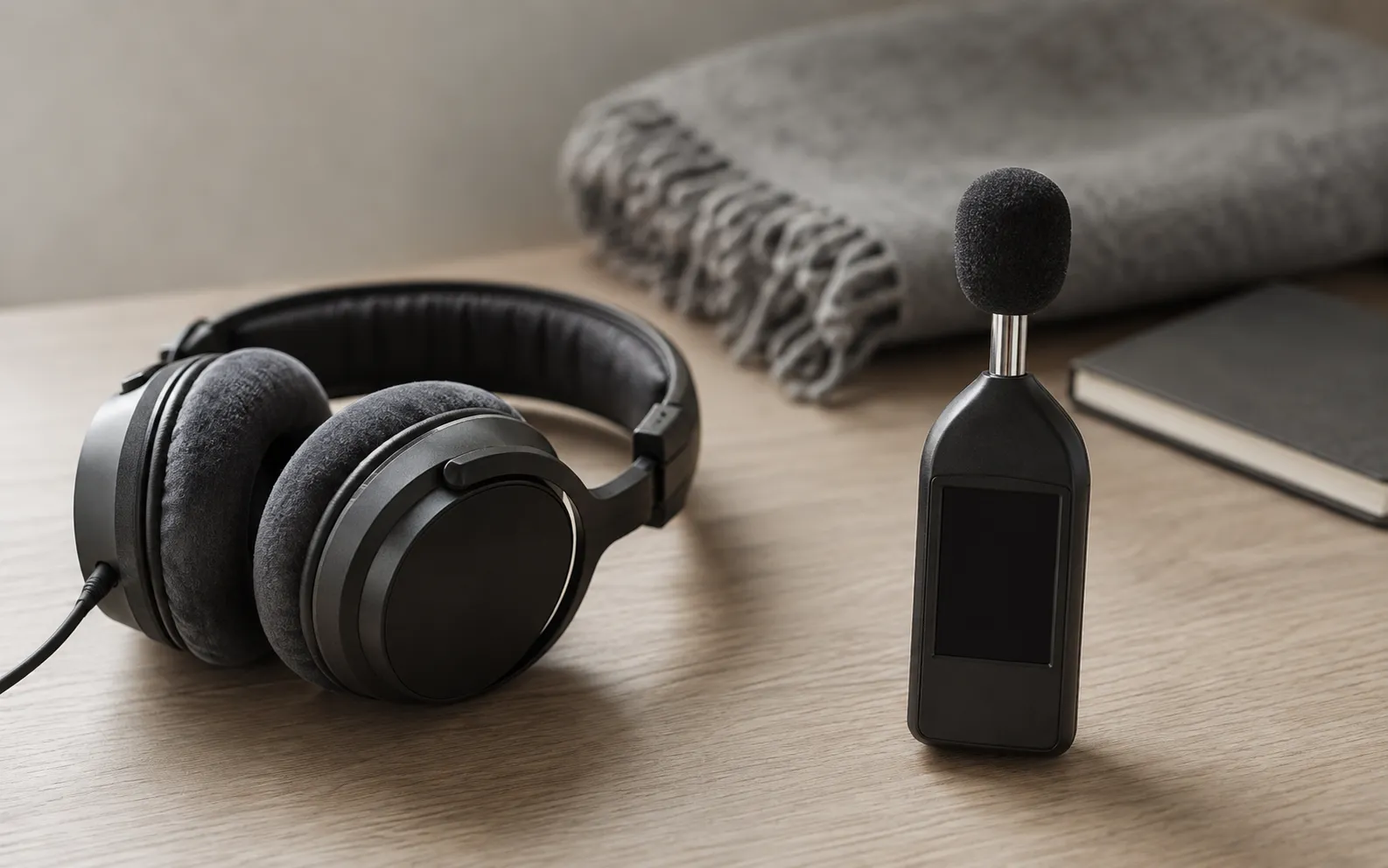
Two questions with different answers
“Is a volume booster safe?” usually means one of two things, and the answers point in opposite directions.
Can it damage my speakers? Almost never. A booster changes the digital audio before it reaches the amplifier. The phone or laptop still decides how much power the speaker gets, and that maximum doesn’t move. Push too far and what you hear is distortion — the signal hitting its ceiling — not a speaker giving way. The exceptions are narrow, and they’re below.
Can it damage my hearing? Yes, if you use it to listen loud for long. Noise-induced hearing loss builds up with level and time, often goes unnoticed until the effects are obvious, and is permanent. The WHO estimates that more than a billion young adults are at risk of permanent, avoidable hearing loss from unsafe listening. A booster’s whole job is making things louder, so this is the half that deserves your attention.
How a volume booster makes audio louder
Three things happen, and the second is where the safety question lives.
Gain. The booster multiplies the sample values of the audio it plays, so a quiet podcast or voice memo comes up towards full level. That’s the real, measurable boost.
The ceiling. Digital audio has a hard maximum, called full scale. Gain can bring a quiet track up to it, but nothing takes a signal past it. When gain tries, the tops of the waveform are sliced off flat. That’s clipping, and you hear it as harshness, crackle and fizz rather than extra volume.
The limiter. A well-built booster puts a limiter after the gain, which turns loud peaks down smoothly before they reach the ceiling instead of letting them clip. It’s also why a good booster caps its gain: past a point, more gain buys distortion, not loudness. Our own signal chain is laid out in how it works.
So a booster changes how close your audio sits to the device’s output ceiling, and for how much of the time. It can’t raise the ceiling. That one fact answers most of the speaker question.
Can a volume booster damage your speakers?
Speakers fail in two ways. Heat: too much power for too long cooks the voice coil. Travel: the cone is driven further than it can move. Both come down to how much power reaches the speaker over time. Clipping has a reputation for killing speakers, and the reason is power rather than the distortion itself: a clipped signal carries more average power than a clean one, as Rod Elliott explains in his long-standing piece on why tweeters blow when amplifiers distort.
Phone speakers: almost certainly not
Phone speakers are tiny and have to be driven hard to be heard at all, and the amplifiers that drive them are designed with that in mind. Texas Instruments, for example, sells smartphone amplifiers with speaker protection built in; its TAS2555 smart amp senses the current and voltage going into the speaker and uses them for thermal and excursion protection, turning the signal down before the coil overheats or the cone moves too far.
Whatever amplifier your phone uses, a booster doesn’t get around it. Everything a booster does, it does to the digital signal first. The phone’s volume setting and its amplifier still decide how much power the speaker receives, and no app raises that maximum. At the top of the range you’ll hear crackle, or the sound flattening as the amplifier holds it back. That’s the limit making itself heard, not the speaker breaking.
Laptop speakers: usually not, with two exceptions
Laptop speakers are the same kind of small driver, run close to their limits. The Asahi Linux developers, who had to write their own speaker protection to run Linux on Apple Silicon Macs, call the speakers in laptops, TVs and Bluetooth speakers “very fragile” and explain that they have to be driven hard to sound good. On those Macs the protection lives inside macOS’s own audio system, and other manufacturers increasingly build it into their audio drivers. An app or a browser extension plays through that layer, not around it, so the protection still applies.
Two situations change that:
- The protection isn’t there. If the laptop’s own audio software has been replaced — a different operating system, or a generic driver instead of the manufacturer’s — the protection can go with it. The same developers warn that running custom software puts these speakers at serious risk of permanent damage.
- Sustained clipping at full volume. A system-wide booster or extension turned all the way up, at maximum volume, for hours, turns much of what you play into clipped peaks: more average power, which is exactly what heats a coil. On a protected laptop the protection pulls it back. On an unprotected one, nothing does.
Extensions carry a second, non-audio risk — the permissions they ask for — which is covered on our volume booster extension page.
Headphones, Bluetooth speakers and hi-fi
Damage to headphones from a phone is rare. The headphone output is low-powered, and Bluetooth headphones and speakers have their own amplifier inside, so the phone never drives their drivers directly; a boosted signal just gives their electronics more to do. If a pair sounds wrong anyway, the headphone test checks balance, bass and rattle in a few minutes.
The setup that deserves some care is a phone or laptop feeding a separate amplifier — a hi-fi or a powered speaker — over a cable. That amplifier has its own power, so a heavily boosted, clipped signal at high volume raises the average power reaching its speakers: the scenario behind clipping’s reputation for blowing tweeters. If it crackles, turn it down at the source.
How to tell if a speaker is already damaged
Damage doesn’t sound like quieter. It sounds like a buzz or rattle at one particular pitch, crackle at moderate volume, or one side gone. Crackle only at full volume is the limit, and the speaker is fine.
A test tone settles it in a couple of minutes. The speaker test checks each side, sweeps the low range for buzz and plays a steady tone so you can hear where it turns harsh; the bass test steps down to 20 Hz, where rattles show up. How to test your phone speakers explains what each result means.
| Worried about | Realistic risk from a booster | What limits it |
|---|---|---|
| Phone speaker | Very low | A fixed output maximum and an amplifier designed around the speaker |
| Laptop speaker | Low | Protection in the amplifier or the audio driver, as long as it hasn’t been bypassed |
| Headphones and earbuds | Very low | Little power from a phone; Bluetooth pairs have their own amplifier |
| Hi-fi or powered speaker on a cable | Low, if you keep it out of distortion | Nothing on the phone side: it has its own power |
| Your hearing | Real | Only level and time |
Can a volume booster damage your hearing?
Yes, and this is the part worth your attention. Loud sound fatigues the sensory cells in your ears. After a loud evening that shows up as muffled hearing or ringing, which often fades as the cells recover. With regular exposure, the WHO explains, the damage becomes permanent, and it usually arrives gradually: first trouble hearing high-pitched sounds, later trouble following conversation in noisy places.
What matters is level multiplied by time, and there are two official yardsticks.
The WHO’s weekly allowance. The WHO says you can safely listen at 80 dB for up to 40 hours a week. Every step up cuts that hard:
| Sound level | Safe listening time per week | WHO’s example of that level |
|---|---|---|
| 80 dB | 40 hours | A doorbell |
| 85 dB | 12 hours 30 minutes | Heavy traffic, from inside a car |
| 90 dB | 4 hours | Shouted conversation |
| 95 dB | 1 hour 15 minutes | A motorcycle |
| 100 dB | 20 minutes | A hair dryer |
| 105 dB | 8 minutes | A car horn at 5 metres |
Source: WHO, Deafness and hearing loss: safe listening, March 2026.
The CDC’s workplace limit. NIOSH, the CDC’s occupational safety institute, recommends keeping noise at work to 85 dBA averaged over an eight-hour day, and halving the time for every 3 dB above that: four hours at 88 dBA, two at 91, one at 94, and 15 minutes at 100 dBA. That’s a daily limit for workplaces. The WHO’s weekly allowance for listening is the stricter of the two — 12½ hours a week at 85 dB, against eight hours a day.
Where headphones sit. The CDC puts listening through headphones at the highest volume at 96 to 110 dB, and warns that you can lose some of your hearing in just a few minutes at that setting. Read that against the WHO’s figures: a week’s allowance is 1 hour 15 minutes at 95 dB, and two and a half minutes at 110 dB.
Why a booster changes the maths. Most people judge loudness by the volume slider, and the WHO’s own rule of thumb is to keep a device at no more than 60% of its maximum. A booster changes how loud any slider position is. With one running, judge by a meter instead — and your phone has one.
Your phone is already measuring it
iPhone. Open Health → Browse → Hearing → Headphone Audio Levels to see your real exposure, in decibels, by day and by week. For a live reading while you set the level, add the Hearing control to Control Center; it shows a headphone level meter (Apple).
iPhone also warns you once you pass 80 dB for 40 hours within seven days — the same 80 dB, 40 hours a week that the WHO gives as safe — and the next time you connect headphones, it sets the volume lower. Depending on your country or region, those notifications may be on by default, and in some places they can’t be switched off.
To set a hard ceiling, go to Settings → Sounds & Haptics → Headphone Safety and turn on Reduce Loud Audio (Reduce Loud Sounds on older versions of iOS), then drag the slider. iPhone analyses your headphone audio and reduces any sound above the level you choose.
One caveat from Apple: the measurements are most accurate with Apple or Beats headphones, and with other headphones the level is estimated from the iPhone’s volume. If you boost through third-party headphones, treat the number as approximate and leave yourself a margin.
Android. Android 14 added support for the same idea, a rolling seven-day sound dose, but it shipped turned off by default, and whether your phone uses it depends on the manufacturer and on local rules.
Warning signs worth knowing
- Ringing or buzzing after you take the headphones off.
- Muffled hearing that clears over the next few hours.
- Trouble hearing high-pitched sounds, or following a conversation in a noisy room.
The first two are your ears recovering from a level they didn’t like. Recovery is real, but repeated episodes are how permanent loss builds up — treat them as a signal to turn down, not something to push through. If ringing persists, or high sounds and conversations are getting harder to follow, the WHO’s advice is to see a professional.
A safe-use checklist
- Set a ceiling before you boost. Turn on Reduce Loud Audio under Settings → Sounds & Haptics → Headphone Safety and put the slider around 80–85 dB. The WHO recommends using the volume limiting and exposure monitoring your device already has, and staying below an 80 dB average when you can measure it.
- Boost for clarity, not for volume. Raise the boost until the quiet recording is clear at a comfortable level, then stop.
- Back off at the first crackle. Distortion means you’re past the useful range: no extra loudness, just more strain on the speaker and on you.
- Use the equalizer before the gain. For speech, lifting the 2–4 kHz region makes words clearer at a lower overall level, which is usually what you wanted from the volume.
- Block noise instead of out-shouting it. On a train or in a gym, well-fitting or noise-cancelling headphones let you listen quieter. That’s the WHO’s advice too.
- Take breaks. Give your ears regular rests from loud sound; for gaming and loud venues, the WHO suggests ten minutes every hour.
- Read the meter, not the slider. Glance at the Hearing meter in Control Center while you set the level, and check Headphone Audio Levels in Health once a week.
- Don’t stack boosters at maximum on a laptop. If a speaker starts to rattle or buzz at moderate volume, stop and run the speaker test.
- Leave the phone’s protections on. No app has a good reason to ask you to switch off Headphone Safety.
How we handle this in our app
Being straight about our own product: Volume Booster caps its gain and runs a limiter after it, so loud peaks are turned down rather than clipped, and we don’t advertise a “200%” figure because there’s no standard that would make it a measurement. It can’t override iOS’s Headphone Safety settings — if Reduce Loud Audio is on, that ceiling applies to our app too.
It’s built for quiet recordings — podcasts, lectures, voice memos, films with whispered dialogue — not for running everything at full tilt on headphones. What boosters can and can’t do more generally is in do volume booster apps actually work.
So: is a volume booster safe?
- Your phone’s speaker: yes, in normal use. The booster changes the signal; the phone decides the power.
- A laptop speaker: yes, while the laptop’s own speaker protection is in place. Don’t run a system-wide boost flat out for hours.
- Headphones: the hardware is fine. Your ears are the thing at risk.
- Your hearing: it depends on level and time. Stay under an 80 dB average where you can, and remember that headphones at full volume can use up a week’s safe listening in minutes.
- If it crackles, turn it down. If your ears ring afterwards, turn it down further.
General information, not medical advice. If ringing lasts, your hearing stays muffled, or speech is getting harder to follow, see an audiologist.
Frequently asked questions
How to Increase Bass on AirPods (What Works and What Doesn't)
How to increase bass on AirPods, which have no bass setting: the right EQ in the right app, ear tip fit, noise cancelling, and what no iPhone app can do.
How to Make Android Louder: Settings, Limits and What Works
How to make Android louder: four volume streams, a safe-volume cap, a Bluetooth quirk and, unlike iPhone, real system-wide boosters. Biggest gains first.
Make your music louder than ever.
Boost the volume, add deep bass, and fine-tune every track with a 6-band equalizer — all in one simple app.
Download the App