
Equalizer Bands Explained: What 60 Hz to 15 kHz Each Do
What a band actually is
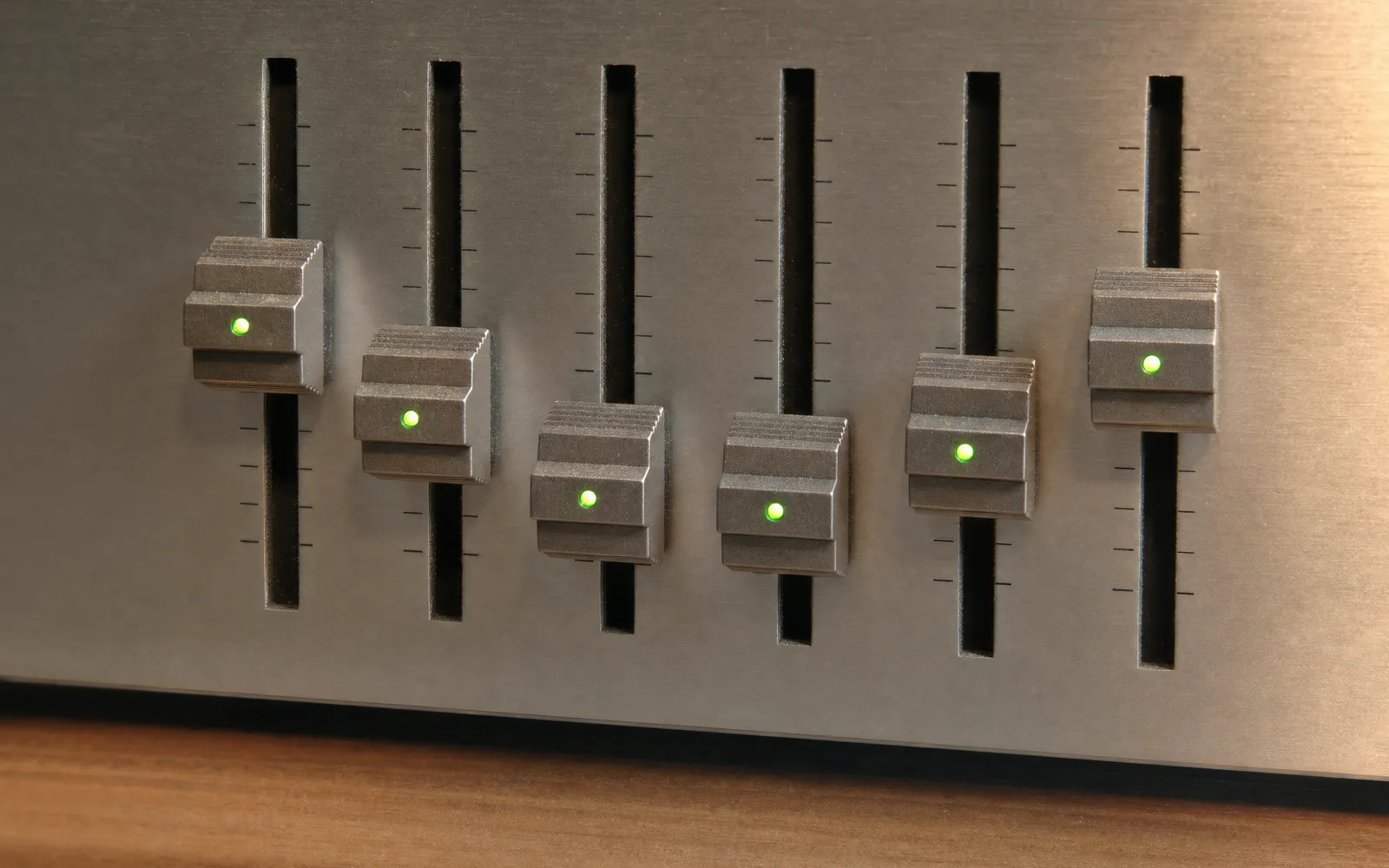
Every sound you hear is a mixture of frequencies, low to high. An equalizer splits that range into bands and gives each one a slider. Raise the slider and everything inside that band gets louder; lower it and everything gets quieter. That’s all an EQ does — it’s a set of volume controls, one per frequency range.
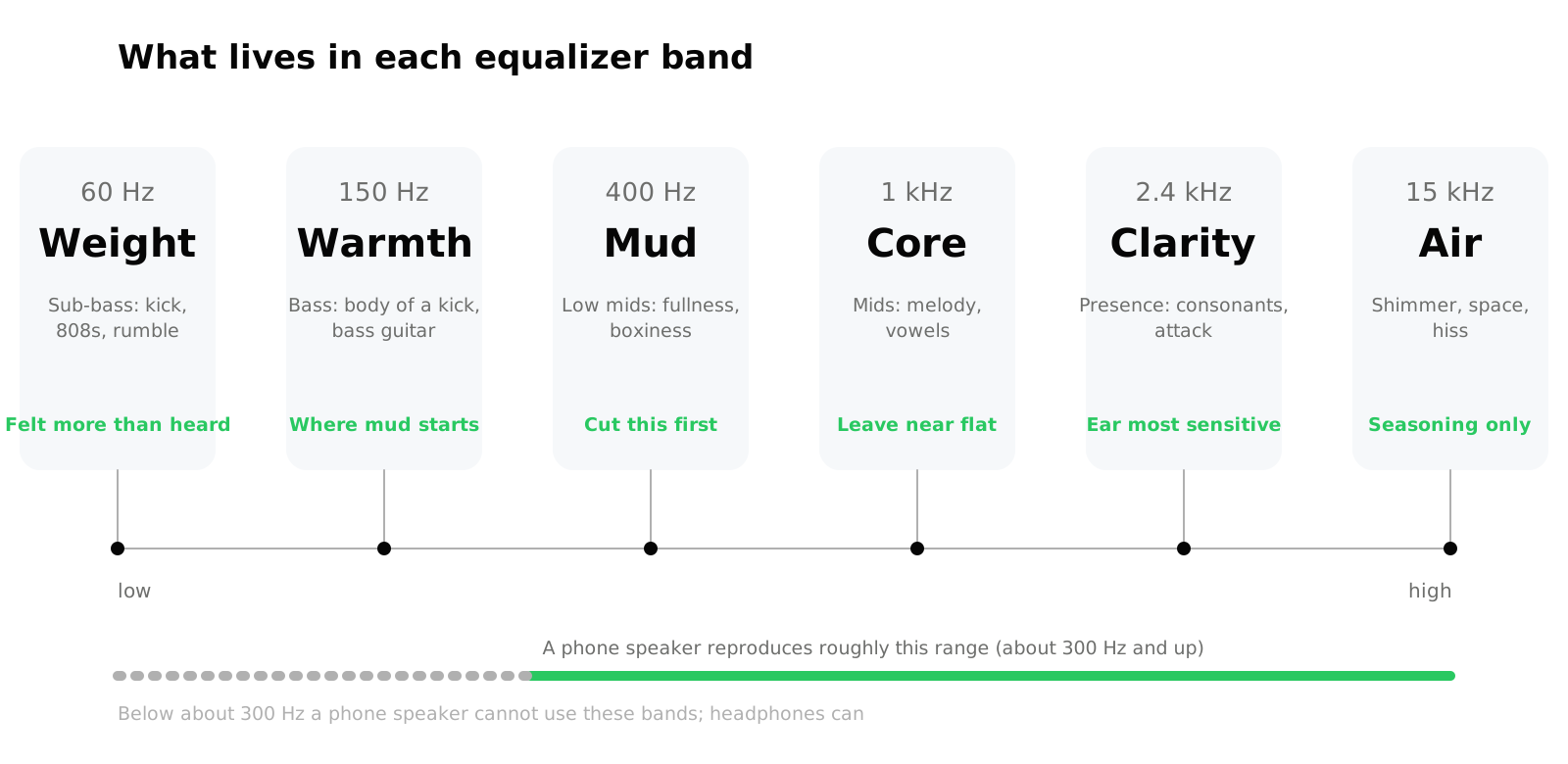
The bands on a 6-band EQ are spaced so each covers a musically distinct job. Ours sit at 60 Hz, 150 Hz, 400 Hz, 1 kHz, 2.4 kHz and 15 kHz; other equalizers use slightly different centres but the logic is identical. Here’s what each one does.
60 Hz — sub-bass: weight
What lives here: the very bottom of a kick drum, an 808, the lowest notes of a bass guitar, cinema rumble. You feel it as much as hear it.
- Boost → more physical weight and thump. Too much and the whole mix goes woolly and eats headroom
- Cut → tighter, cleaner low end. Cutting 60 Hz on speech recordings removes rumble and traffic noise for free
The catch: most small speakers can’t reproduce it. A phone speaker produces almost nothing below 300 Hz, so this slider does nothing useful there except waste headroom. It matters on headphones and on proper speakers.
150 Hz — bass: warmth and body
What lives here: the body of a kick drum, bass guitar fundamentals, the low end of a male voice, the warmth in a piano.
- Boost → fuller, warmer, “bigger” sound. This is where most of the audible bass impression comes from, which is why a small lift here often sounds bassier than maxing 60 Hz
- Cut → thinner, but clearer. If a mix sounds thick or boomy, this is usually the band to reduce
This is also the band where mud starts. Warmth and mud are the same frequencies in different amounts.
400 Hz — low mids: the mud band
What lives here: fullness in voices and guitars, the boxy resonance of small rooms, the congested middle of a badly mixed track.
- Boost → rarely a good idea. Adds body to a thin recording, but quickly turns boxy
- Cut → the single most useful move on most EQs. Two or three decibels out of 400 Hz clears space between the bass and the vocals, and everything sounds more defined without anything getting louder
If you only ever move one slider, move this one down.
1 kHz — mids: the core
What lives here: the fundamental of almost every melodic instrument and most of the vowel sounds in speech. This is where the music is.
- Boost → forward, present, slightly telephone-like if pushed
- Cut → the “scooped” sound: bass and treble with a hollow middle. Sounds impressive for thirty seconds and tiring after that
Most of the time, leave 1 kHz near flat and shape around it. It’s the reference the other bands are judged against.
2.4 kHz — presence: clarity
What lives here: consonants in speech, the attack of a snare, pick noise on a guitar, the edge of a vocal. The ear is at its most sensitive in this region, so small moves have big effects.
- Boost → clearer, more intelligible, more “in the room”. Two or three decibels here is the fix for a mumbled podcast or dialogue buried under a film score
- Cut → softer, more distant, less fatiguing. Useful for harsh recordings or for long listening sessions
Because the ear is so sensitive here, boosting 2.4 kHz also makes things feel louder without much change in measured level — a trick worth knowing if you’re near a volume ceiling.
15 kHz — air: shimmer and hiss
What lives here: cymbal shimmer, breath, the sense of space in a recording. Also tape hiss, MP3 artefacts and the fizz of a cheap microphone.
- Boost → airier, more open, more “expensive” sounding — on a good recording. On a poor one, it just lifts the hiss
- Cut → duller but smoother. Cutting 15 kHz is a quick fix for a harsh or noisy source
Many adults hear little above 15 kHz anyway, so treat this band as seasoning, not a main ingredient.
The rule that makes all of this easier: cut before you boost
Every decibel of boost pushes peaks closer to the ceiling, and past the ceiling you get clipping — the crackle and harshness that people mistake for “the speaker can’t handle it”. Cutting costs nothing.
So if a track sounds dull, don’t reach for 15 kHz first. Try taking 2 dB out of 400 Hz. If it sounds thin, don’t max 60 Hz; try a small lift at 150 Hz and a small cut at 400 Hz. Then raise the overall volume to compensate. You’ll get the same balance with more headroom and less distortion.
Starting points
These are places to start, not answers. Adjust from here.
| Goal | 60 Hz | 150 Hz | 400 Hz | 1 kHz | 2.4 kHz | 15 kHz |
|---|---|---|---|---|---|---|
| Clear speech / podcasts | −4 | −1 | −2 | 0 | +3 | 0 |
| Headphones, music | +3 | +1 | −2 | 0 | +1 | +1 |
| Phone speaker | 0 | 0 | +2 | +1 | +2 | −1 |
| Harsh or hissy recording | 0 | +1 | 0 | 0 | −2 | −4 |
| Late-night, low volume | +2 | +2 | 0 | 0 | +2 | 0 |
The phone-speaker row deliberately leaves the bottom two bands at zero. A phone driver can’t reproduce them, and pushing them up just wastes headroom. For a full treatment of bass specifically — why the maxed-out low slider backfires and what to do instead — see best EQ settings for bass.
The late-night row is the same idea as Apple’s “Late Night” preset: at low volume the ear loses sensitivity to lows and highs, so lifting both ends restores the balance.
Where you can actually use this
On iPhone, an equalizer only affects audio the app itself is playing — iOS doesn’t let one app process another’s output. Apple Music has fixed presets in Settings → Music → EQ, Spotify has its own EQ inside the app, and for your own files you need a player with an EQ built in. The equalizer app has these six bands with the presets above; if you just want to hear what each band does before installing anything, the online equalizer runs in the browser on any audio file.
Frequently asked questions
How to Increase Bass on AirPods (What Works and What Doesn't)
How to increase bass on AirPods, which have no bass setting: the right EQ in the right app, ear tip fit, noise cancelling, and what no iPhone app can do.
How to Make Android Louder: Settings, Limits and What Works
How to make Android louder: four volume streams, a safe-volume cap, a Bluetooth quirk and, unlike iPhone, real system-wide boosters. Biggest gains first.
Make your music louder than ever.
Boost the volume, add deep bass, and fine-tune every track with a 6-band equalizer — all in one simple app.
Download the App